

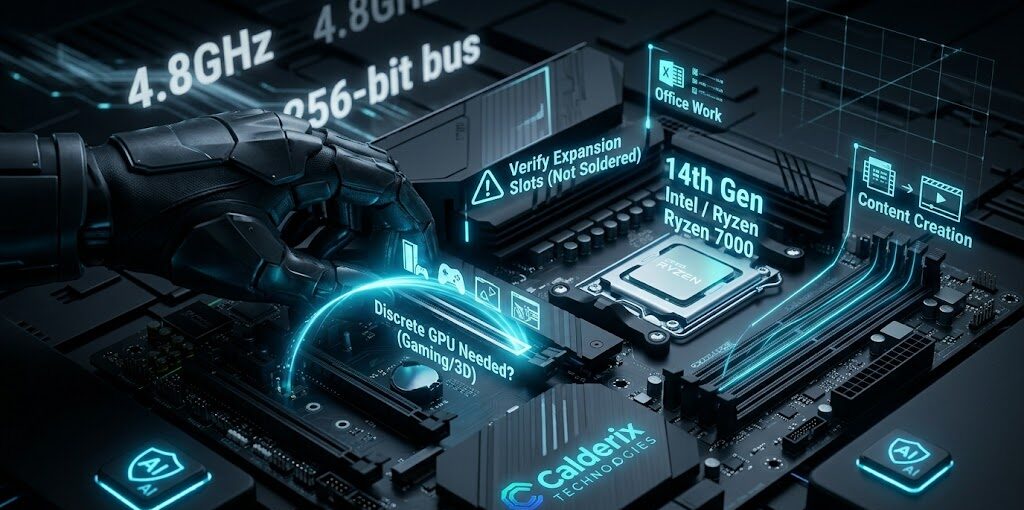
Desktop computers are one of the most straightforward hardware purchases you can make — and simultaneously one of the easiest to get wrong if you’re reading spec sheets without understanding what the numbers mean in practice. Manufacturers are very good at making mediocre configurations sound impressive. They are less forthcoming about the details that actually determine whether you’ll be happy with the machine two years from now.
This guide is about cutting through that. Whether you’re buying a desktop for your home office, a workstation for your design studio, a family computer, or a fleet of machines for a small business, here’s how to evaluate what you’re actually getting.
First Question: What Will This Computer Actually Do?
This sounds obvious but it determines everything — processor choice, RAM amount, storage type, whether you need a GPU, and how much you should spend. Be specific.
‘General use’ means web browsing, email, video streaming, office documents, and occasional video calls. You don’t need a powerful machine. You need a reliable one with adequate storage. ‘Content creation’ means video editing, photo editing, 3D work, or music production — you need a strong multi-core CPU, 32GB+ RAM, fast NVMe storage, and possibly a discrete GPU. ‘Gaming’ means a GPU is mandatory. ‘Business productivity’ means durability, support, and management features matter as much as raw specs.
The CPU — What Generation and What Tier
Processor generation matters more than the name. An Intel Core i7 from the 10th generation performs significantly worse than a Core i5 from the 14th generation. When evaluating a desktop, look for the generation number — not just the i5/i7/i9 tier. In 2026, anything below Intel 12th generation or AMD Ryzen 5000 series is aging hardware. Current-generation options include Intel 14th Gen, Intel Core Ultra (Meteor Lake), and AMD Ryzen 7000-9000 series.
Don’t let the ‘i9’ label dazzle you on a general-use desktop. The i9 advantage shows up in highly multi-threaded professional workloads. For someone using a desktop to browse the internet, manage email, and write documents, a Core i5 is an excess-capacity purchase.
RAM — Enough Is More Important Than Fast
For a general-use desktop in 2026: 16GB is the comfortable minimum. 8GB creates visible slowness when running a browser with multiple tabs alongside other applications. For productivity and creative work: 32GB is the target. For workstations running virtual machines, heavy data work, or video production: 64GB.
One thing to check that many buyers miss: is the RAM expandable? Many modern small-form-factor desktops come with RAM soldered to the motherboard, or have only two DIMM slots. If a machine ships with 16GB in two slots and all slots are occupied, you can’t add more. Verify the upgrade path before buying if you think you might need more memory in the future.
Storage — NVMe First, Then Think About Capacity
NVMe SSD as the primary drive is the baseline expectation in 2026. If a desktop is being sold with a hard drive as the primary storage, that is a dealbreaker unless you’re buying it specifically for archival purposes and plan to add an SSD.
Capacity: 512GB is the practical minimum for a primary drive used for Windows and applications. 1TB is more comfortable for anyone who stores files locally. 2TB is the right choice for creative professionals with large project files. Beyond the primary NVMe drive, secondary storage (an additional HDD or large SSD for file storage) can be added later on desktop platforms, which is one of their genuine advantages over laptops.
GPU — Do You Actually Need One?
Many desktops are sold with the GPU listed prominently in the marketing, even when the vast majority of buyers don’t need a discrete graphics card. Modern integrated graphics — Intel Iris Xe in Core processors, AMD Radeon in Ryzen processors — are perfectly capable for general use, web browsing, streaming, video calls, and even light photo editing.
If the desktop you’re evaluating includes an entry-level GPU like an NVIDIA GTX 1650 or AMD RX 6400 in an office-use machine, be skeptical — you might be paying more for a GPU that provides no real-world benefit to the listed use case.
Mini PC vs Tower Desktop — Which Makes More Sense?
This choice has become more relevant as mini PCs have gotten genuinely capable. A mini PC like the Intel NUC, Lenovo ThinkCentre Tiny, HP Elite Mini, or ASUS NUC series takes up almost no desk space, uses less power, and for general productivity workloads, performs comparably to a tower at the same CPU tier.
Choose a mini PC if: desk space is limited, the machine will be used for general office productivity, you want lower power consumption, and you don’t anticipate needing GPU upgrades. Choose a tower if: you want expansion slots for a discrete GPU or additional storage, you do demanding workloads, or you want the longest upgrade path.
One important nuance: some mini PCs have soldered RAM and limited storage expansion. If upgradeability matters to you, verify the specific configuration before purchasing.
Pre-Built vs Custom Built — The Honest Take
Pre-built desktops from established manufacturers — Lenovo ThinkCentre, HP EliteDesk, Dell OptiPlex, ASUS ExpertCenter — offer a specific advantage that custom builds don’t: support accountability. If something goes wrong with a manufacturer-built machine, there’s a single entity responsible. Driver compatibility is tested. The warranty is comprehensive.
Custom builds can deliver better specs per dollar at higher budgets, and they’re the right choice for enthusiasts who know what they’re doing. But for business deployments and buyers who aren’t hardware-savvy, the reduced support complexity of manufacturer pre-builts is genuinely worth paying a modest premium.
Frequently Asked Questions
Shopping for a Desktop? Let Calderix Technologies Help You Choose Right in Houston TX.
Calderix Technologies · 1919 Taylor Street STE F, Houston TX 77007
📞 (832) 924-0490 · 💬 (713) 794-6862 · 📧 Sales@calderixtech.com
Get Expert Advice